14 February 2023 | Computers |
 About 2.5 years ago, I wrote an article entitled Thunderbird 78: Change is in the air, but don’t panic!.
At that time, Tbird was in a state of flux as it moved from a Mozilla project to community-driven (more or less) and then into essentially its own company.
Well, fast forward to today: In July of this year, the Thunderbird team is supposed to take the wrap off of a whole new bird dubbed ‘Supernova’.
And if the blue bird’s design manager’s video is anything to go by, it’s gonna be pretty awesome!
(more…)
12 July 2022 | Computers, Networking |
 In my last article, I told you NOT to push the button in order to try the new Thunderbird v102.
Well, they fixed the glitch, so you can safely upgrade if you want.
Keep in mind that v102 of Tbird is still in a more-or-less “release candidate” phase.
They aren’t pushing 102 out to all users yet – you have to go to About in Settings and manually Click the Button.
(more…)
5 July 2022 | Computers, Networking |
 The other day, I heard about the new version of Thunderbird: v102.0.
Naturally, being a techy nerd who loves updates, I installed it.
BAD IDEA!
There are a few bugs, but one in particular results in corruption of e-mails and even losing entire blocks of new messages.
So, don’t upgrade just yet…
(more…)
8 March 2022 | Computers, How to |
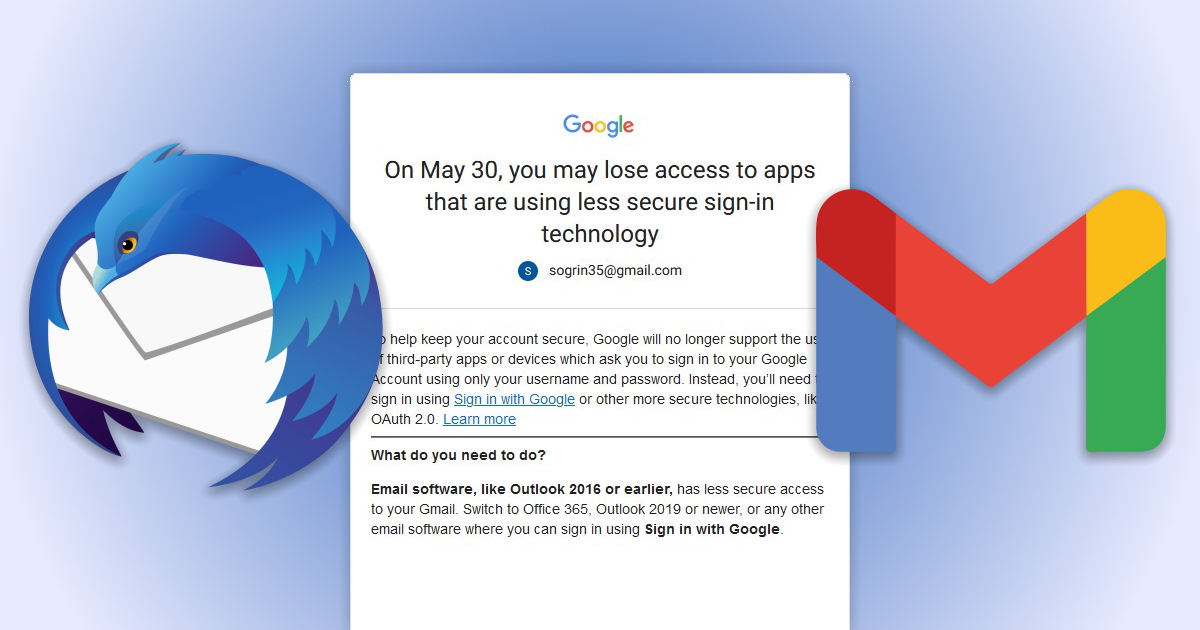
 If you use Thunderbird to download e-mails from your Gmail account, it may stop working soon.
You may remember a similar thing happening not long ago. Google insisted that POP3 mail accounts were, “not secure enough”.
So, you had to go through a convoluted process on Google to enable “less secure” Tbird to play nicely with POP3 for Gmail.
Right. Now, Gmail will effectively shut off POP3 completely for Thunderbird users by May 30, 2022.
So, how do you fix it?
(more…)
22 September 2020 | Computers |
 So there I was, reading my e-mail the other day, when I received an upgrade notice from Thunderbird.
Great! Maybe they’ll fix things… So I upgraded.
Welcome to Thunderbird 78, where everything has changed!
Well, sort of…
My add-ons no longer worked, the folder pane was hideously black and white, I lost my CompactHeaders, and my message pane buttons were all screwed up. SIGH…
But, not to worry… Big things are in store for good old Tbird, and many of the annoying changes are easy to fix!
(more…)
5 November 2019 | Computers |
 For those of us who don’t like webmail because storing all our data in the The Cloud just seems like a Really Bad Idea, the best e-mail program available for puters is Thunderbird.
There’s only one problem: the default version you can download from Mozilla’s web site is still 32-bit.
Firefox – and pretty much every other piece of software out there – went 64-bit a long time ago.
So, how do you go 64-bit with Thunderbird? And why would you want to?
(more…)
5 July 2013 | Computers |
 It’s hard to find a good e-mail client these days. Despite it’s increasing crappiness, I still use Mozilla Thunderbird, mainly because there just aren’t any good alternatives out there.
I could use webmail, but I really don’t like it. I like to have my e-mail stored on my computer, not on some server somewhere.
But, as I said, Tbird is increasingly crazy. One of the problems I run into a lot is when trying to simply delete a message, Thunderbird hangs with a “Not Responding” message from Windows in the title bar. After about 5-10 seconds, it unhangs and deletes the message. It does this for every e-mail I delete.
This is really annoying, but it’s also very easy to fix!
(more…)
19 May 2011 | Computers |
With the advent of Thunderbird 3, searching messages became a bit more sassy in the old bird.
There is one little problem: it is not readily apparent how one actually searches for text inside an open e-mail.
It used to be that you could just type Ctrl-F and the little “Find” bar opened at the bottom of your message pane/window. Type in some text, and all instances of that text would be highlighted in the open message.
In the latest Tbird, that doesn’t work in certain cases. In fact, searching in an open message has become downright annoying, and nobody seems to know how to make it work. Several people even filed bug reports about it.
This situation was obviously intolerable, so I finally managed to solve it!
(more…)
31 May 2009 | Computers |
 I use Mozilla’s Thunderbird e-mail client, and their Firefox web browser. Every now and then, I would need to transfer all my settings from one computer to another, or from one OS install to another. Recently, I was once again faced with this little problem.
In Thunderbird, I used to copy the Mail folder over, the prefs.js file, and some other odds and ends – but that meant I had to reinstall all my extensions and everything. The same was true for Firefox – minus the Mail folder.
So, the other day, I finally figured out how to transfer ALL the settings over in one ridiculously, stupidly easy step. Why I was unable to find any information about this on the web before is beyond me. Everything I’ve found says to copy files from inside your profile directory as I have been doing, which is entirely unnecessary.
Read on to see how to do it…
(more…)

 About 2.5 years ago, I wrote an article entitled Thunderbird 78: Change is in the air, but don’t panic!.







Recent Comments